How to use Bushwak on safari
Bushwak helps you identify African wildlife and keep a record of what you see on safari. On iPhone or Android, you can look up animals and save sightings without mobile signal once the wildlife information has synced. Download wildlife photos before you leave if you want to compare them offline. Fresh community sightings need an internet connection, and offline driving directions come from the maps app you use.
What should I download before my safari?
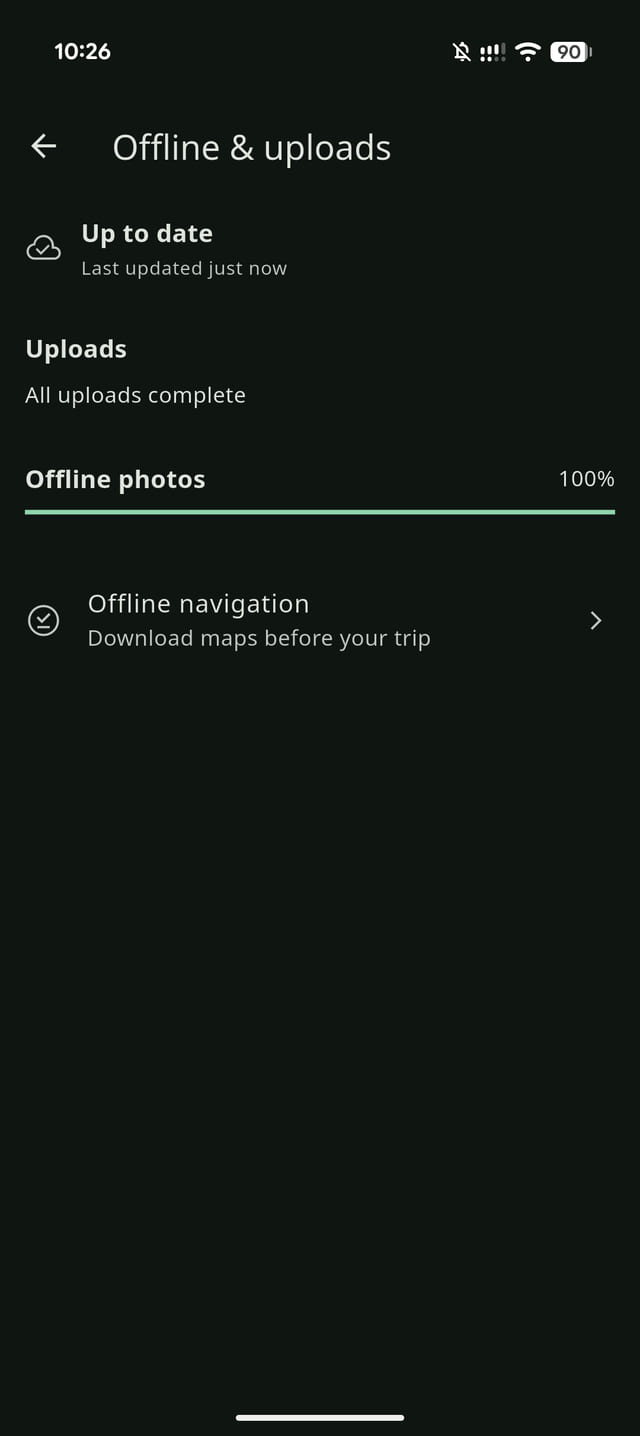
- Sync everything and download photos. While you’re on Wi-Fi, open Offline & uploads in Bushwak and check that everything is up to date.
- Save your driving area if you’re self-driving. Where offline maps are supported, download your entrance gate, accommodation and full driving routes in Google Maps or Apple Maps.
- Test both apps offline. Before leaving, turn off Wi-Fi and mobile data. Open an animal profile in Bushwak and, if you’re self-driving, try a route in your maps app.
How do I identify a bird or animal I’ve just seen?
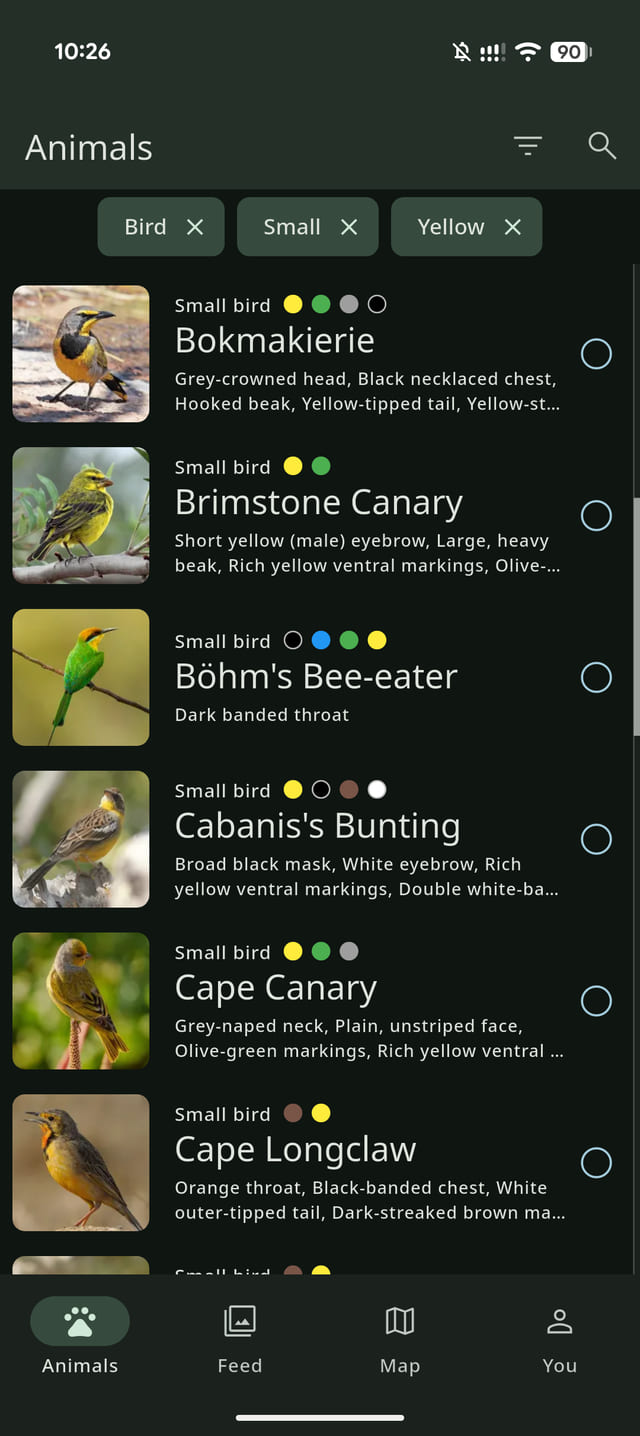
Start with the features you saw clearly. If you spotted a small bird with a yellow belly, open Bushwak’s wildlife filters, select birds and narrow the results by size and colour. Compare the photos and profiles. If nothing looks right, remove the filter you’re least sure about and try again.
On a guided drive, you can also ask your guide for the name and look it up later to see which features distinguish it from similar species.
Can I save a wildlife sighting without signal?
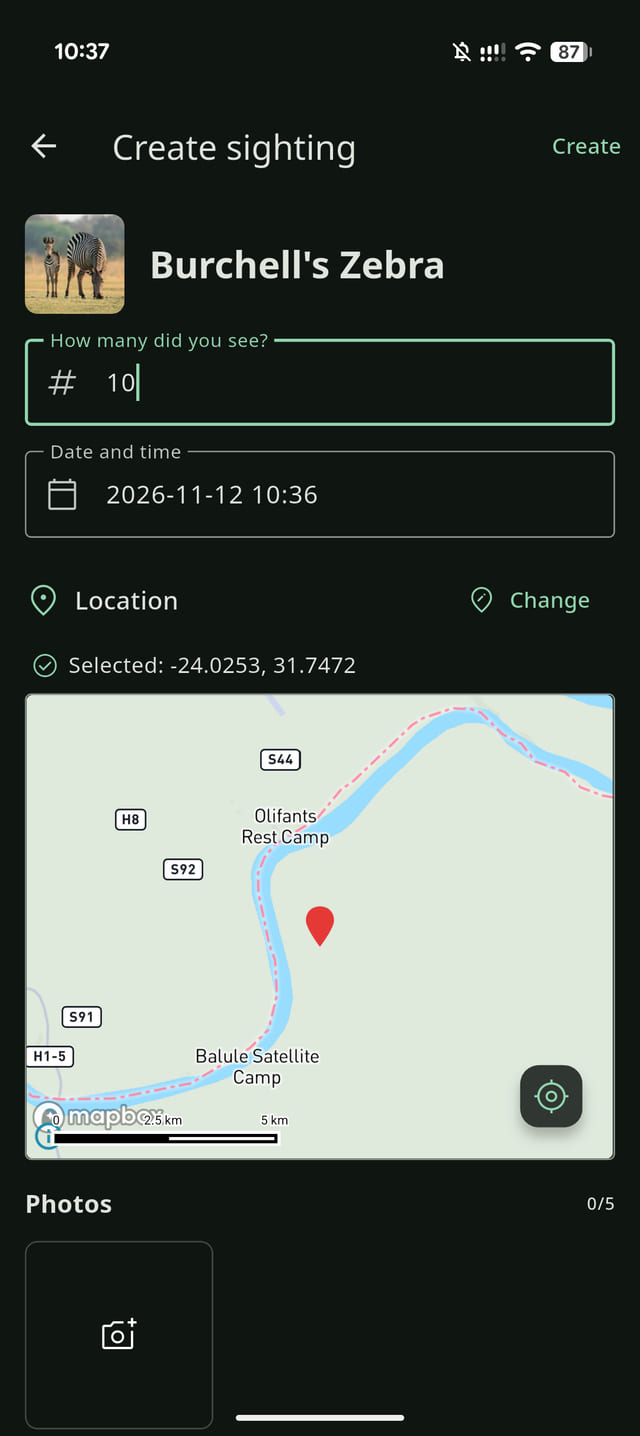
Yes. Record the species, location and number you saw, then add any notes or photos you want to keep. Save the sighting before moving on. Bushwak queues saved sightings and photos for upload when you reconnect. Back at camp, check Offline & uploads to see what’s still pending.
Rhino and pangolin sightings are private in Bushwak and can’t be posted publicly. If you share photos elsewhere, leave out location tags and clues such as road names or landmarks.
Can I see the latest sightings without signal?
Check the community feed while you’re connected, for example before leaving camp. A recent report shows where someone saw an animal. Use it to inform your plans and leave enough time to return before your gate closes.
Ready for your next safari?
Identify wildlife, log sightings, and join a growing community of safari-goers.

